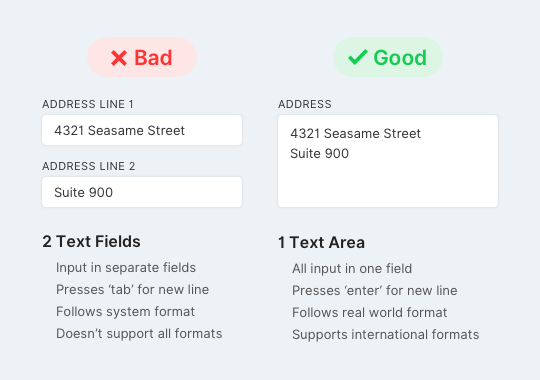
Have you ever filled out a form and froze on the address field? A research study found that users come to a confusing stop when they encounter the “address line 2” field.
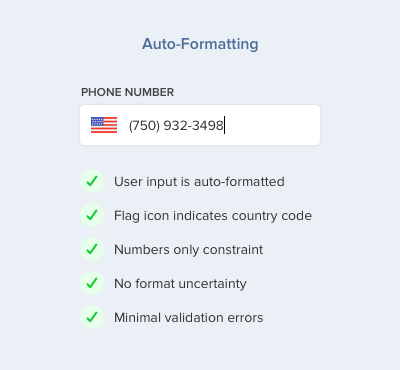
The phone number is one of the trickiest fields to get right. There are many phone number formats users can choose from and they’re often unsure which format is valid.
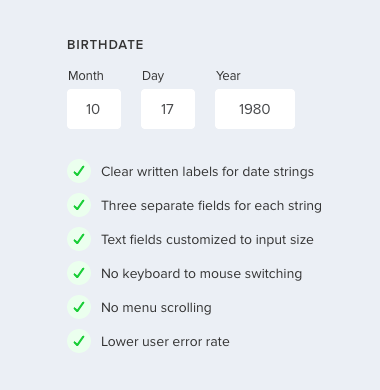
Asking users for their birthdate on a form is complicated. Birthdates have various formats depending on the country that consist of three separate data strings.
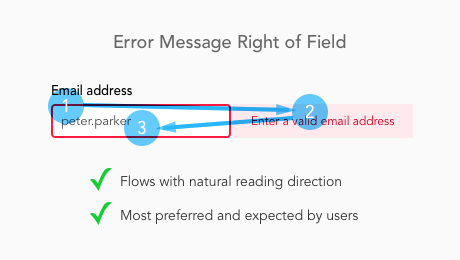
Where are you placing the error messages on your form? If they’re not placed where users expect to see them, you could jeopardize their capability to complete your form.
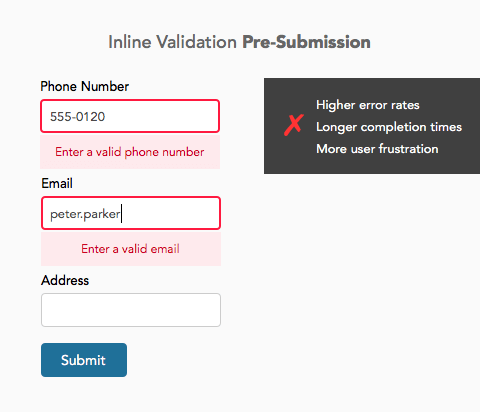
If you're using inline validation on your form, you're slowing users down from completing it. Inline validation displays error messages inline with its offending field.
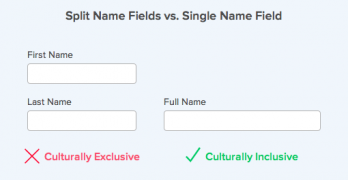
Does your form have two separate fields for the user's name? If it does, you're making it harder for them to fill out your form. But there's a better way.